Thursday, February 23, 2017

Weekly Update (2017-02-23): Liam

This Week

I started work on landing and taking off. During this process I realized that we need to define a scale for the map, so that the runway lengths and the size of the map will be reasonable. For the plane to be able to land, it needs to be within a certain angle and area and below a certain altitude (this will eventually depend on the airplane's distance from the runway, but right now these values are constants). Today I added the first step: when a runway is selected, the game calculates if the airplane is within an angle of 10 degrees from the heading of the runway:


Notice the status bar says that the upper right airplane is about 5 degrees off from the runway's heading.

I also worked on merging Guy's work on the menu branch with master. Now, the code has been reorganized so the main class only controls the screen and the UI state.

Completed Asana Tasks

  • Clean up code in PIScreen
  • Decide on fixed turn rate

Next Week

I will continue to work on landing constraints and procedures. I need to add an altitude and heading constraint, and then start working on an AI to automatically land the airplane.

Current Asana Tasks

  • Add airplane controls
  • Add airplane constraints
  • Add landing capabilities

Weekly Update (2017-02-23): Benjamin

This week, I added many usability improvements to the editor to get it ready for creating airports for the real game. Mainly, this was a bunch of small improvements rather than one big feature. The largest feature that was implemented was support for loading existing levels.

  • Support for dragging existing runways around after they are created
  • A better system for snapping runways
  • The ability to snap waypoints to be colinear with any runway
  • A scale guide in the bottom left hand corner (1px=50m)
  • Solving a bug in which all of the airport coordinates would be inverted between the editor and the game


Loading Airports

Loading airports was relatively easy, since they are stored as JSON with very similar structure to that used internally by the editor. The main issue was that, in order to solve the level inversion bug, levels are stored upside down. Because of this, a level would be loaded upside down. I solved this by running the inverse of the transform used for saving.

Next Week: Autopilot

Next week, I plan on implementing the landing autopilot. Liam has a system set up that will determine whether it is possible to land from a particular position, but this system does not actually land the planes yet. The problem is that there are infinite solutions for landing on a runway given a particular position.

This hypothetical system needs to, given a plane within 10 degrees of being colinear with the runway and a heading of within 10 degrees of being parallel with the runway, find a set of commands which will bring it into being both perfectly parallel and perfectly colinear.

In order to think about this problem, I am first solving the simplified case: the plane is parallel with the runway but not colinear. In addition, the plane has to be far enough away that it does not have to slow down while making the turn. In this situation, the best solution is to turn away from parallel until you are halfway to being colinear. After that, it needs to turn back. This will form an S-shaped curve which brings it into the correct position and direction.

In a situation in which the plane is not parallel, already colinear, or close enough to slow down, things get much harder. Instead of making a simple S-curve, you might have to make a more complex turn to line up which includes overshooting for a little bit before turning back. Things get even worse when you have to slow down. This will probably involve a lot of calculus. Yay!

Weekly Update (2017-02-23): Guy

This Week:

This week I finally successfully created separate screens. They each are their own class and in the ProjectIcarus class you can send the game to any of them. We merged mennus with master and now in our main code we have separate screens. After I finished this I started working on the MainMenuScreen. I almost have it I believe but there is now one line of code that has an error and I need to fix. So for now, the code works as intended, just with more expandability on the back end.


Next Week:

Currently, I am working on making sure the code can switch between screens from each screen and an action on the screen. I think I am relatively close to completing this however, I only had a limited time to test is and as of yet it is not working. The majority of next week will likely be filled with completing the main menu and making sure it can successfully navigate to separate screens while maintaining those screens functionality. This shouldnt be too hard, and after that we likely will need to decide the art style of the game, to make everything fit and look smooth.

Asana Tasks:

  • Menu
  • Main Menu(incomplete)

Thursday, February 16, 2017

Weekly Update (2017-02-16): Liam

This Week

I started the process of implementing takeoff and landing. Benjamin added runways to the editor, so after that was up and running I created a different test airport map, with runways in the center and some creative waypoint names:


Today (Thursday) I added runway selection. Users can't select the whole runway, because there would be problems at intersections, but there is a hit circle at each end of the runway. So far airplanes don't do anything when a runway is selected, but I'm working on that.


I also fixed the minor issue where the angle on the heading selection wheel wasn't accurate. Turns out I was measuring from the bottom of the button, thinking that I was measuring from the bottom left corner of the app. Oops.

Asana Tasks Completed

  • Add target heading button

Next Week

I will continue to work on takeoff and landing, and hopefully by Friday I will have the airplanes navigate to runways.

Current Asana Tasks

  • Fix Airport orientation
  • Add airplane controls
  • Add airplane constraints

Weekly Update: Benjamin Lee (2017-16-10)

I worked more on the runway system and general improvements on the editor.

Editor Improvements

One of the focuses this week was on getting the editor ready for use in creating real levels. For this, I added support for selecting existing runways and a few other quality of life improvements. Next week I plan on adding the main missing feature: loading existing airports from JSON.

Labels


Runway labels are pretty much complete at this point.  The way that they work is that the user enters the angle and distance for the center of the text to each end of the runway in the editor. In addition, the app can load these names and display them.

One issue for this was that since the player can zoom, the offset has to be in screen coordinates, not world coordinates. Otherwise, the labels will overlap the runways at some zoom levels.

Friday, February 10, 2017

Weekly Update: Benjamin Lee (2017-2-10)

This week, I worked on completing the runway system. I added runway loading to the game, and started work on runway labels.

Runways in the App

I added runway loading from JSON into the app in the game. This involved some refactoring of the rest of the airport loader. I found out that drawing lines in libgdx is way harder than it should be.

Labels

The problem for adding labels is that they have to be both easily associated with the target runway, and not overlap other runways. The best way that we came up with to do this is to make two parameters done by the level editor: angle and distance. I drew a diagram of this system:


I ended up having font problems and got caught up in trying to convert a BDF into a TTF.

Weekly Update (2017-02-10): Guy

This Week:

This week I worked on implementing separate screens or pages for the app. I went through another example this week, but ultimately made a major mistake that required I wipe the code I made and start over. Even though I achieved nothing tactile this week I achieved the knowledge of how to do it next week and successfully have multiple screens. The mistake i made was trying to keep the ProjectIcarus class as the GameScreen class, when it should be made the GameClass. 

Next Week:

So next week i will transfer all the game data from ProjectIcarus into GameScreen and hopefully it will work. I think this will be the end of the project of creating screens in this game, hopefully. After that I dont have any plans on what to do next. But it will likely include making a more detailed main menu page. Transfer between the pages should be more easy in the game as well.

Asana Tasks:

  • Menu(incomplete)

Weekly Update (2017-02-10): Liam

This Week

This week I worked entirely on adding a heading selection wheel. When an airplane is selected, the user can press a button which will make a selection wheel pop up in the middle of the map. The user can drag their finger along the wheel until they find the angle they desire. When they release their finger, the airplane will turn to that heading. Here are some screenshots:


One issue right now is that the angle isn't exactly right when the user releases their finger.

Asana Tasks Completed

  • Add target heading button

Next Week

I plan to fix the angle selection issue with the heading wheel, and then start implementing airplanes.

Current Asana Tasks

  • Add airplane controls
  • Add airplane constraints


Thursday, February 2, 2017

Weekly Update (2017-02-02): Liam

This Week

I accomplished a few minor items, such as making UI elements density independent. My main achievement this week was implementing airplane navigation to waypoints. We decided to add waypoint selection as an enum, so that waypoints could only be selected if the user pressed the "Navigate to waypoint" button. This wasn't too hard to implement, but I was plagued with the problem that airplanes would always be a little off target:
These airplanes were all instructed to fly to waypoint ABC, but as you can see most of them missed the mark. I discovered that this wasn't a problem with the targeting system; rather, airplane sprites were being drawn in the wrong places. After much debugging and a simple fix, everything worked beautifully:

Asana Tasks Completed

  • Refactor with singleton
  • Make UI elements density independent
  • Add maneuver to waypoint

Next Week

In addition to turning to a waypoint, I want the airplanes to be able to turn to a specific heading. I plan to implement some sort of user input interface for heading, altitude, and perhaps other controls as well. The next major item to add will be runways.

Current Asana Tasks

  • Add airplane controls
  • Add airplane constraints

Weekly Update (2017-2-2): Benjamin

This week, I only had two classes, but I worked on fixing bugs the first day and on implementing runways the second day.

Runways

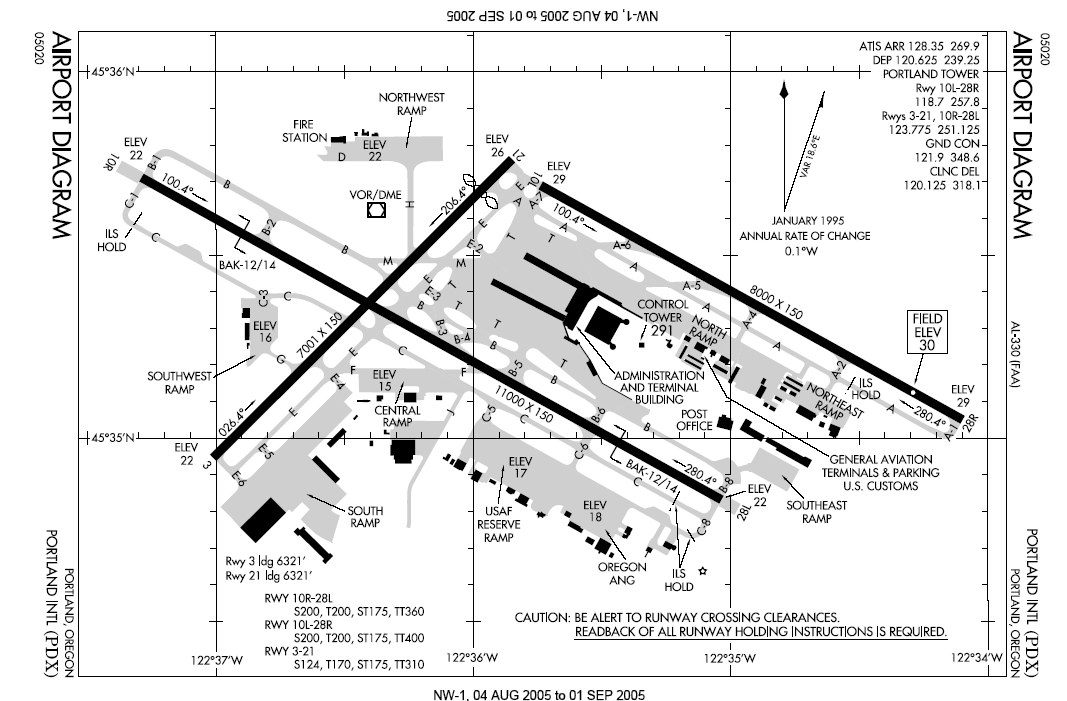
I have started the implementation for creating runways in the editor. The main challenge here is giving the editor precision. For the first step, I looked at some real airport runway maps:

http://photodesk.chicagotribune.com.s3.amazonaws.com/Graphics/runway-diagram-0728.png 
 https://www.faa.gov/nextgen/snapshots/assets/img/airports/maps/SLC.png


There are a few things that I noticed:
  • Lots of parallel lines
  • Perpendicular lines
  • Aligning with the X, Y, and 45 degree axes
To implement this in the editor, I used a snapping system which makes it easy to do these things precisely.

Small Changes

  • I made a new map that has more recognizable waypoint names to use in debugging
  • Worked with liam on airplane control

Weekly Update (2017-02-02): Guy

Thursday, February 2, 2017

Weekly Update (2017-02-02): Guy


This Week:

This week I attempted further to implement multiple pages for our app. I tried several different sources, initially this seemed promising, however, there was a lot of difficulties with the way that it was implemented and I ended up scrapping the project I was working on because there were too many errors and it was faster to wipe than to fix all the errors. The new source I am using is this one and it seems much simpler and so far is working. Ill see next week if it continues to be helpful.

Next Week:

Next week I plan to continue on this tutorial on screens and possibly finish implementing them and move on to creating the ui for the mainmenu screen. This will likely intail many buttons and changing between screens.

Asana Tasks:

  • Menu(incomplete)